
Countdown timers and promo bars that change with your sale
Set up a campaign once: its dates, its stages and what each stage says. Every timer and promo bar bound to it follows along, on cached pages too, so Early Bird turns into Main Sale and then Last Hours without you editing a page.
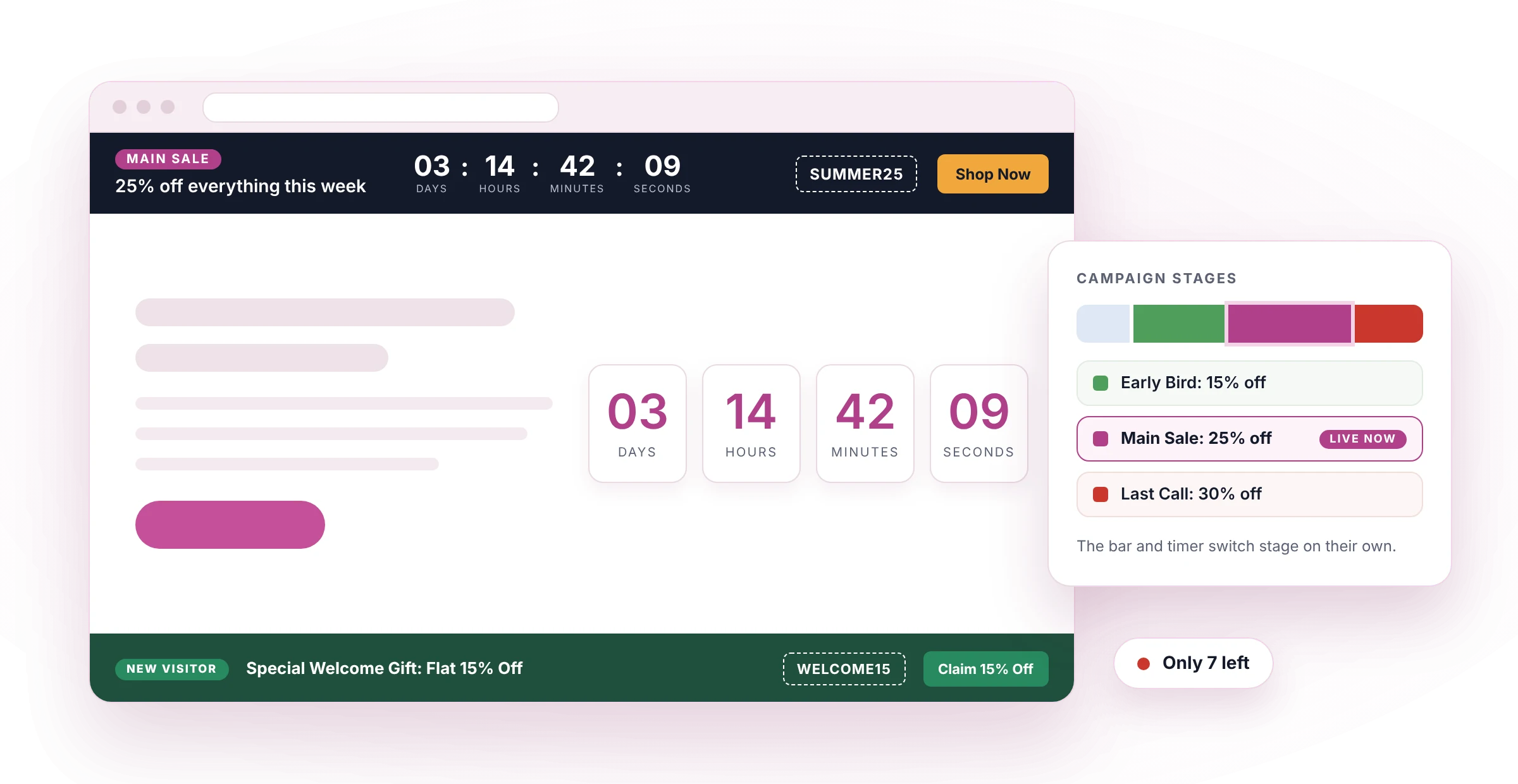
One campaign holds the dates. Every module reads them.
Change an end date in the campaign and every timer and bar that follows it moves with it. No page to forget, no two deadlines that disagree.
Without a campaign
- The end date is typed into each module
- A changed deadline means editing every page
- The bar's words change only when someone edits them
- A cached page can keep yesterday's offer
- Coupons sit in the page before their stage begins
With a campaign
- The end date lives in one place
- Change it once, every bound module follows
- Each stage brings its own headline, coupon and button
- The page carries the schedule, so the browser switches stage on time
- A promo bar fetches a stage's words only when that stage begins
A timer that counts. A bar that carries the offer.
Both modules can follow the same campaign. The timer shows the digits; the promo bar shows the stage's headline, coupon, badge and button next to the countdown.
Ends December 31, 2027 at 6:13 pm (UTC).
DE Countdown Timer
Counts down to a campaign, a date of its own or a WooCommerce sale.
- Full, short, single-letter or no unit labels
- Six separator choices, including your own character
- Boxed units once you style the unit box
- Hide, show a message, stay at zero or send the visitor on when time is up
DE Promo Bar
The campaign's words, coupon and button in a bar at the top, at the bottom or inside the page.
- Four layouts: One line, Split, Stacked, Compact strip
- Each part shown or hidden per desktop, tablet and phone
- A close button that stays closed for the session, a set number of days or for good
- Moves a fixed Divi header down so nothing hides under the bar
Five ways to schedule a campaign
Fixed dates
One start, one end, the same for everyone.
Repeating
Daily, weekly, monthly, yearly or your own rule, with dates to skip and a stop after a set number of rounds.
Evergreen
Each visitor gets their own clock from their first visit.
Count up
Shows how long the campaign has been live.
WooCommerce sale
Takes its dates from a product's scheduled sale.
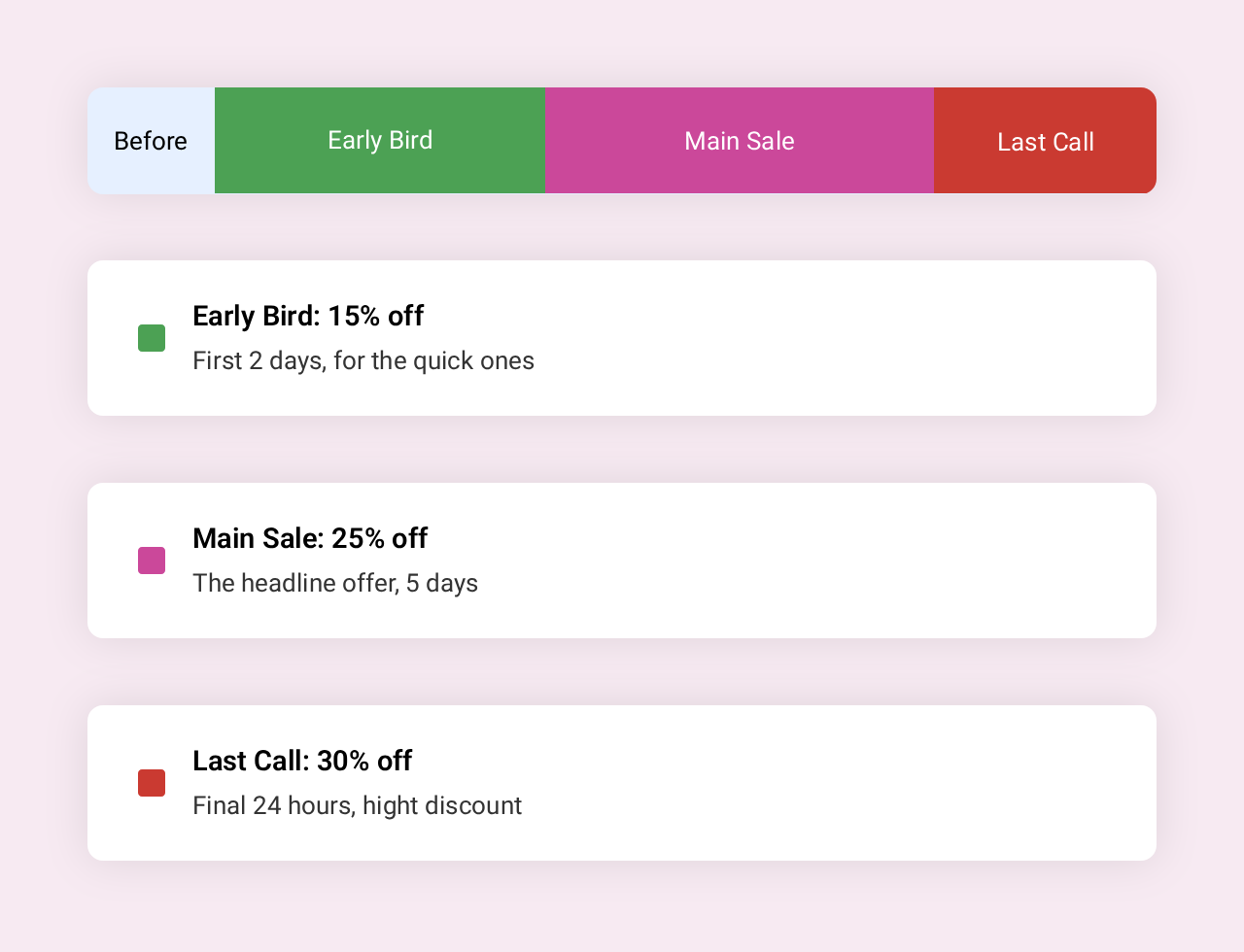
Early Bird, Main Sale, Last Hours. Each stage has its own words and colors.
A stage starts a set time after the campaign starts, a set time before it ends, or on a date you pick. It runs until the next one begins. Bars and timers on the page move to the next stage at that moment, with no reload.
Built for running a sale, not only for counting
Site-wide bar with targeting
Show the campaign as a bar across the site, on every page or only where your conditions match.
Show any module by stage
Use the Campaign Stage display condition on any Divi module.
WooCommerce stock line
"Only 4 left" next to the countdown, from the product's own stock.
Time travel preview
Preview the site at a future stage from the admin bar. Only you see it.
Evergreen per-visitor timers
A countdown that starts when each visitor arrives.